You now have the power to control how much space lives between your images at the horizontal and vertical level. This allows you to create a variety ways to present a collection of photos. You can even eliminate all of the space to give it a collage effect.
Lock Those Blocks
Have you ever accidentally messed up a block or pattern? While there’s always some comfort in knowing you can “undo” most accidents, there’s a new/better way to prevent them from happening in the first place.
You can now lock blocks from within the editor or the list view. This makes it easier than ever to protect components, sections, or even full layouts.
Within locking you can choose to prevent them from being moved or to prevent them from being removed. You can also look forward to the ability to lock “inner blocks” which would make it easier to lock any number of blocks you have set up within a layout block like the group, row, or stack blocks.
Did You Notice the Table of Contents on This Post?
That’s right, it’s finally here. The table of contents block automatically updates as you edit your content, giving your users a direct path to the content they are most interested in.
What other features have you discovered that make creating and editing content easier for you? Share your tips and tricks in the comments.
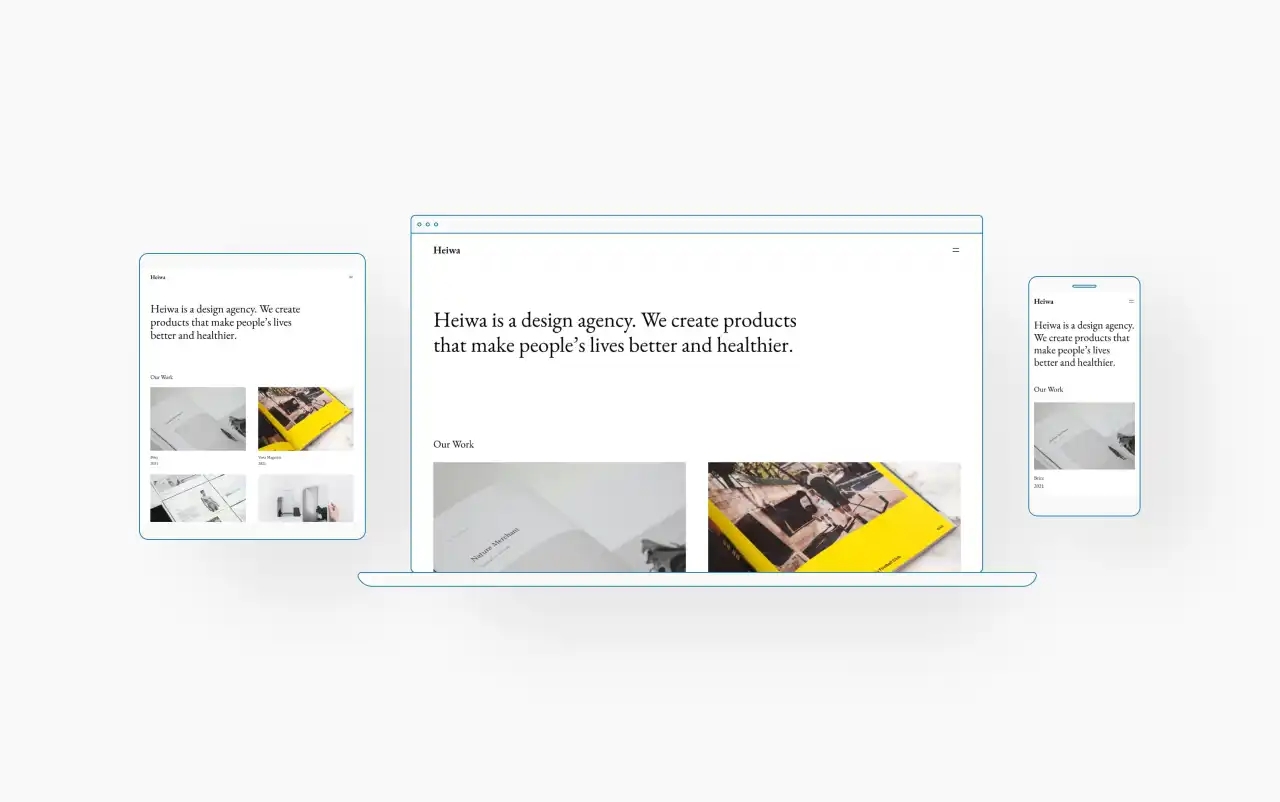
The WordPress.com team is always working on new design ideas to bring your website to life. Below you’ll find the six newest themes that we’ve added to our library, giving you beautiful options for a product showcase, photography portfolio, travel blog, or whatever else you can dream up.
To install any of the below themes, click the the name of the theme you like, which brings you right to the installation page. Then simply click the “Activate this design” button. You can also click “Open live demo,” which brings up a clickable, scrollable version of the theme for you to preview.
You can explore all of our themes by navigating to the “Themes” page, which is found under “Appearance” in the left-side menu of your WordPress.com dashboard. Or, just click here:
Pendant is an elegant product-focused theme. The default styles feature serif headings and a dark background, contributing to a sophisticated style. It features a set of sleek block patterns such as a hero section with a large image, a styled grid to display information about your team, and multi-column layouts to display products.
Vivre is a bold, opinionated blogging theme, heavily inspired by fashion and lifestyle magazines and websites. With large heavy sans-serif paired with a light elegant serif font, it sets the tone to a refined, content-focused reading experience.
Antoniais a theme for selling products with the help of payments block. With its clean, modern, and elegant layout, Antonia is a brilliant choice to showcase your products and sell them.
Appletonis a portfolio theme with a clean layout, designed to help you showcase your images with minimal distractions. Whether you’re an amateur or a professional photographer looking for a canvas on which to display your work, Appleton is an excellent choice.
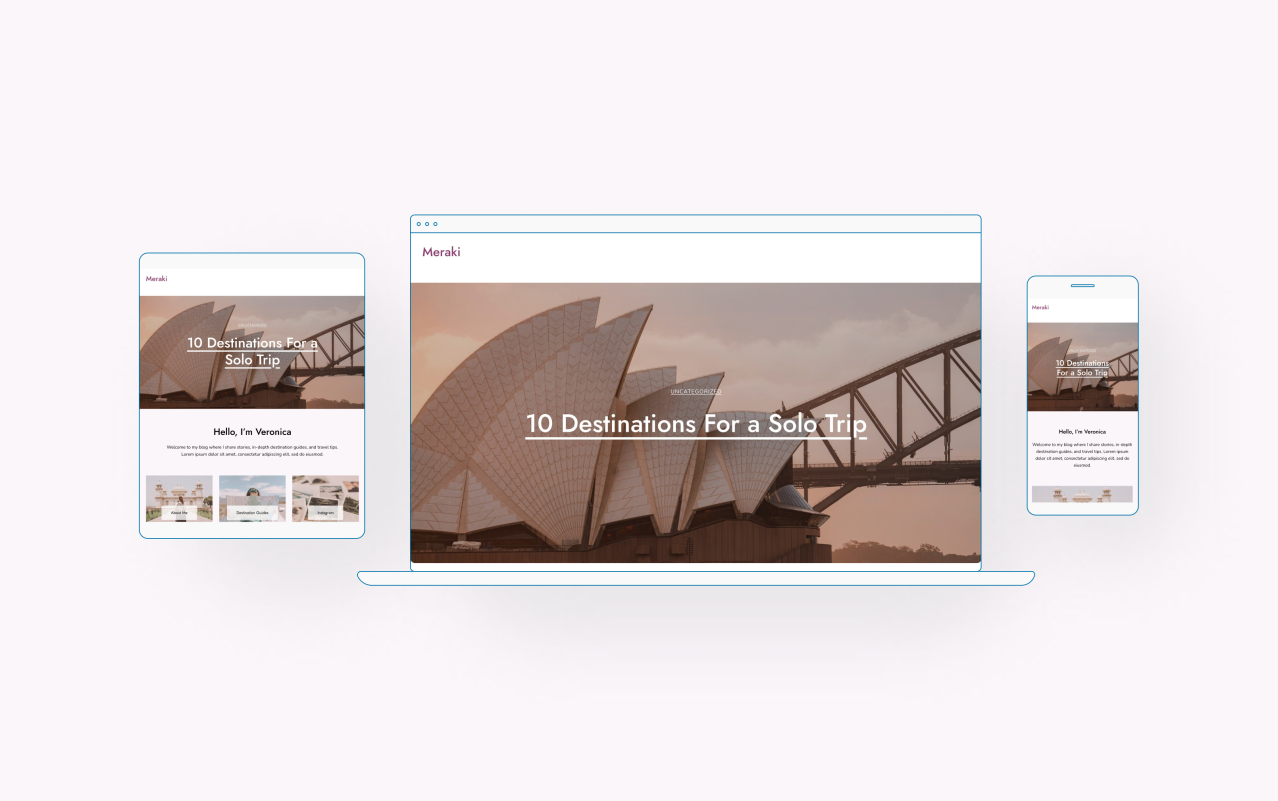
Meraki is a light and elegant travel blog theme designed to document your adventures. Whether you’re a seasoned globetrotter or an aspiring explorer, Meraki will make a perfect destination for sharing your stories and photography.
Stay tuned for more updates about new themes, patterns, blocks, and other exciting product updates! And be sure to click below to take a look at the entire showcase of themes we offer:
Our philosophy has always been one of experimenting, learning, and adjusting. As we began to roll out our new pricing plans a couple of months back, we took note of the feedback you shared. What we heard is that some of you missed the more granular flexibility of our previous plans. Additionally, the features you needed and pricing of the new plans didn’t always align for you. This led us to a decision that we believe is the right call.
Returning to Our Familiar Plans
Starting today, we’re bringing back our Personal, Premium, Business, and eCommerce plans – in addition to the free plan. Here’s what that looks like:
For many of you, this doesn’t change anything. If you’re on a WordPress Pro or Starter plan, rest assured that you’ll remain on that plan. Your feedback matters more now than ever. We’ll continue listening. Our broader goals of simplifying website building and managed WordPress hosting will continue behind the scenes, and we’ll be sure to communicate any future updates as they become finalized. In the meantime, and as always, we welcome your thoughts and feedback.
With the JetpackWP Bot for Telegram, you can now automatically share blog posts from any Jetpack-powered WordPress site (including any site hosted at WordPress.com) directly to a Telegram channel. This free tool saves time sharing content to Telegram, where readers can subscribe to read your posts just as easily as they would via email or social media.
How to Create a Telegram Channel and Set Up JetpackWP Bot
Content publishers can create a Telegram channel, invite JetpackWP Bot, and set it to follow their blog. The bot will then update the channel with new posts as they’re published in real time. Start by opening the app and clicking the pen icon in the lower right corner of the left-hand panel:
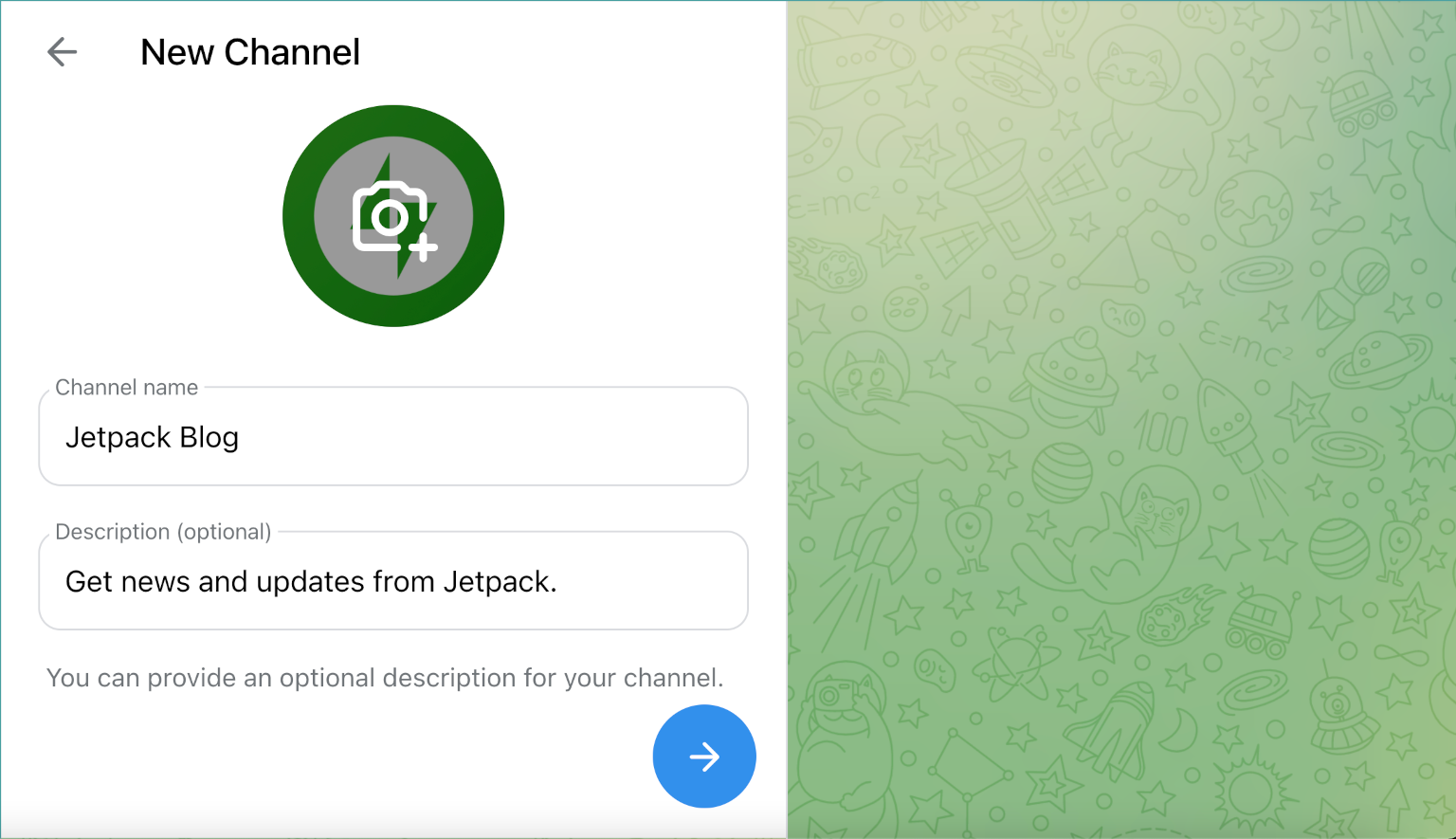
Add members that you would like to participate in your channel. Then, give your channel an image, name, and description:
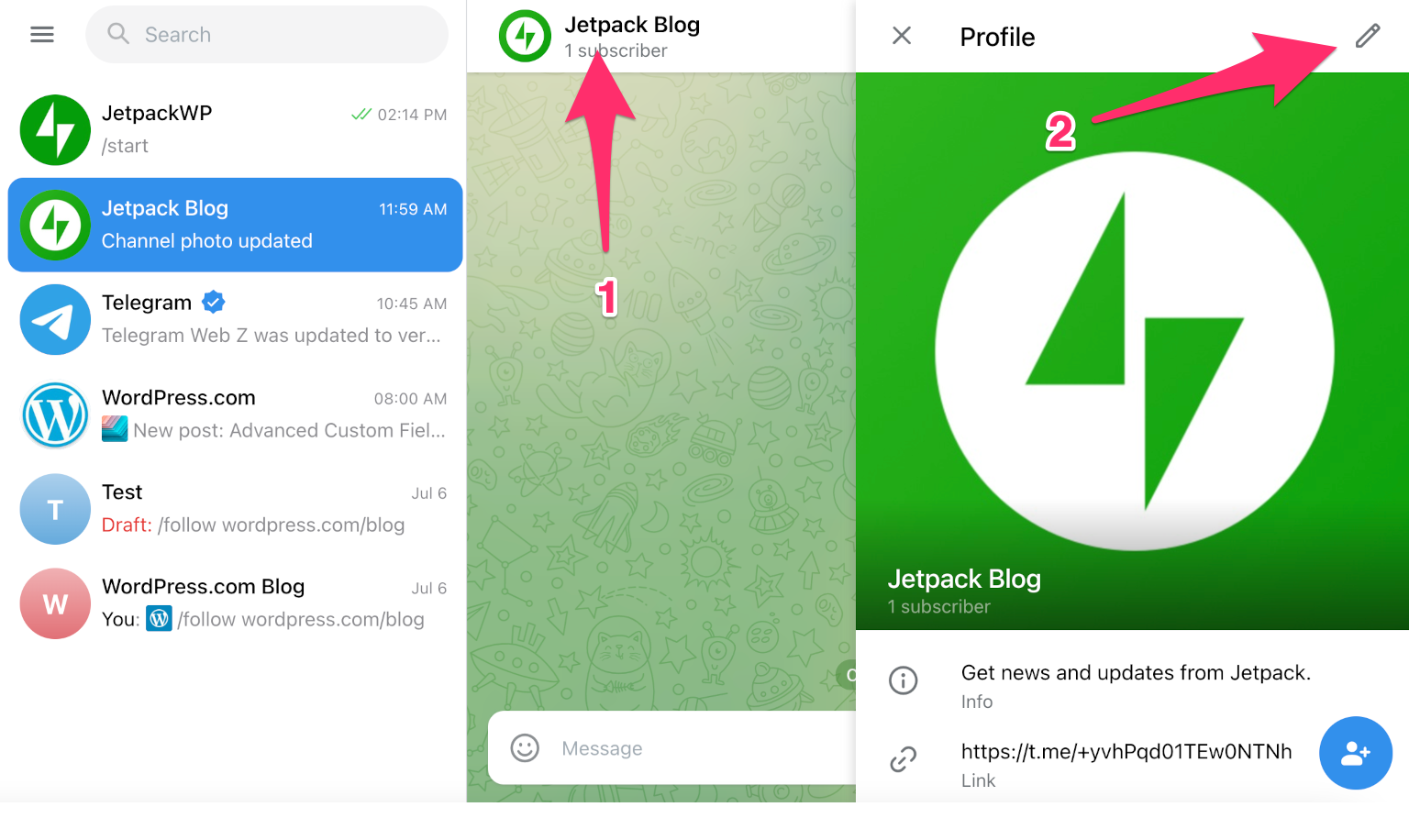
Now, add JetpackWP Bot as an admin to the channel. Click the channel name at the top, then click the pen icon in the upper right corner:
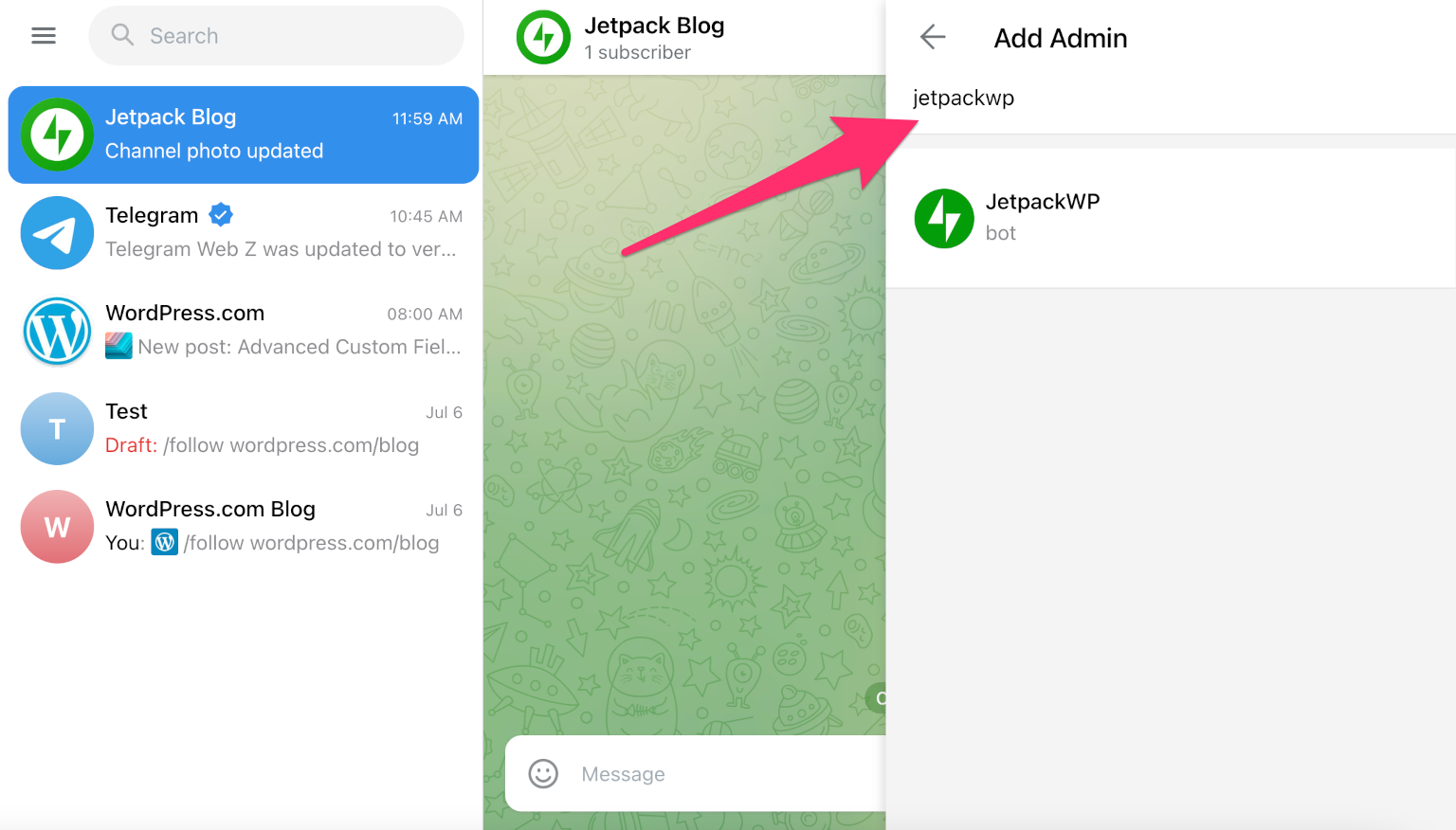
Next, scroll down to Administrators, click the person icon in the bottom right corner, and search “jetpackwp”:
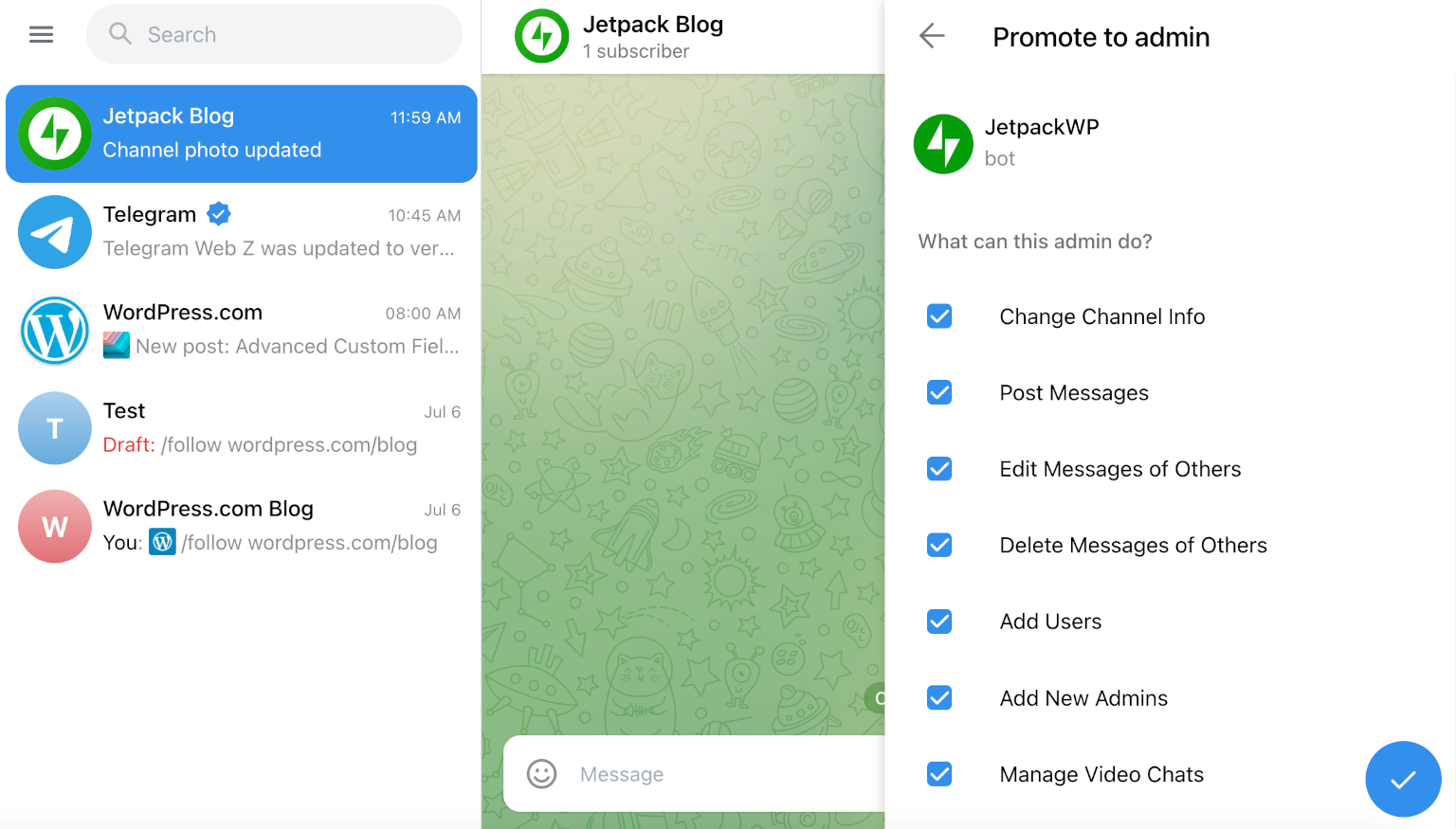
Review what the bot can do as an admin, then click the checkmark icon in the bottom right corner:
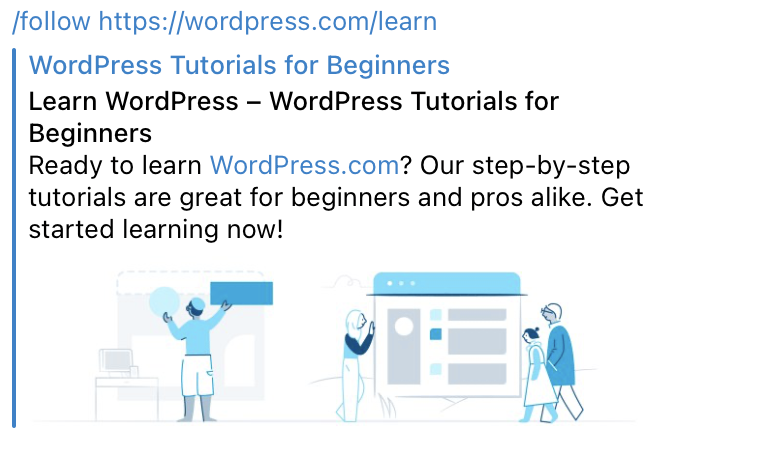
Once the bot has admin access to the channel, it’s time to follow your blog (or any other Jetpack-powered blog that you’d like to follow in your channel). To do this, type /follow and the URL of your desired blog:
Now, the bot will automatically share new blog posts with the channel. If you’d like to curate content from other Jetpack-powered blogs, you can do that too by using the /follow command. If you’d like to see a list of all followed blogs, unfollow blogs, or reset the bot, there are additional commands you can use:
/unfollow [URL]: Stops notifications for the blog specified in the URL.
How to Add a Telegram Social Icon So Readers Can Subscribe
Once your Telegram channel is set up and JetpackWP Bot is active, add a social icon for Telegram so your readers can subscribe. Here are two different methods you can follow.
1. Add a Telegram Icon to Your Header or Footer With a Widget
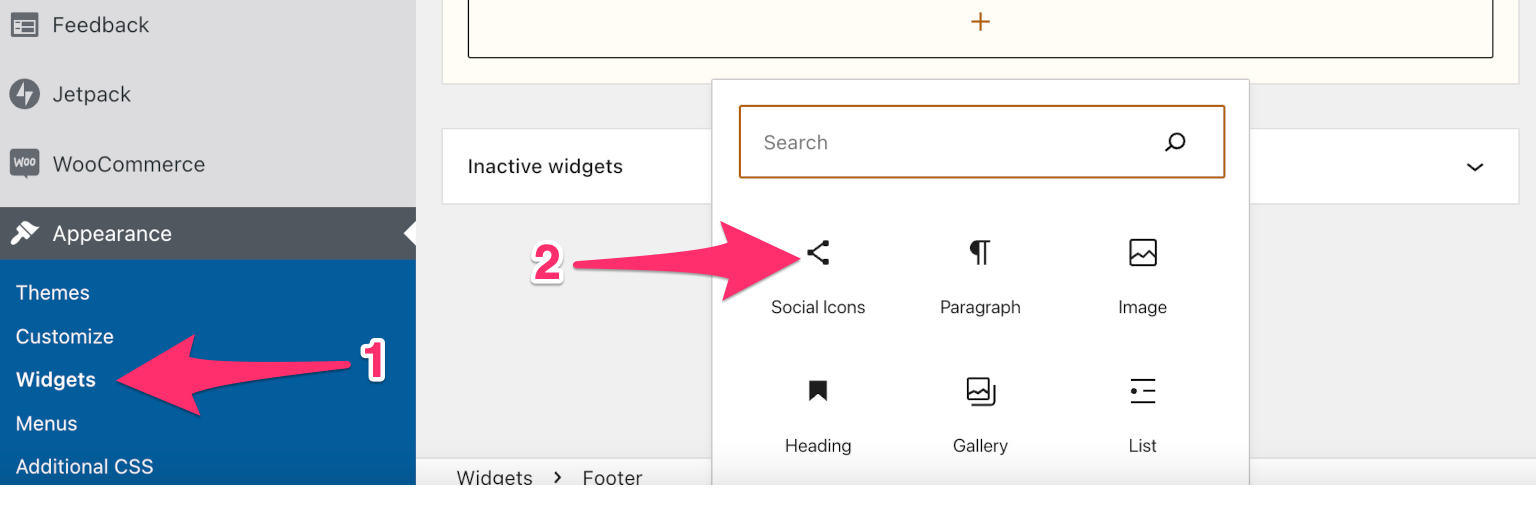
From your WordPress website’s dashboard, click Appearance > Widgets, then select Social Icons:
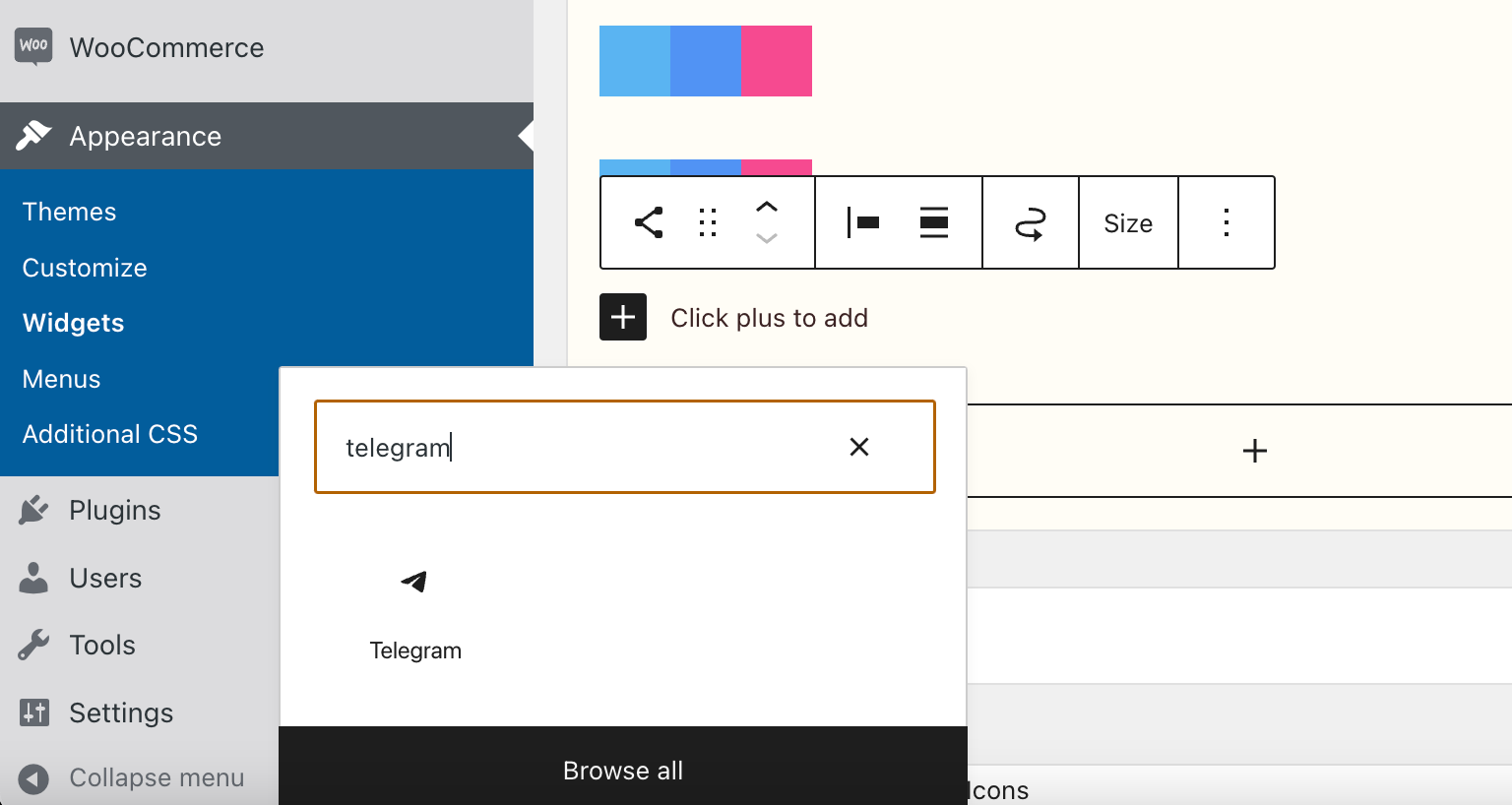
Search for “telegram” to find the correct icon:
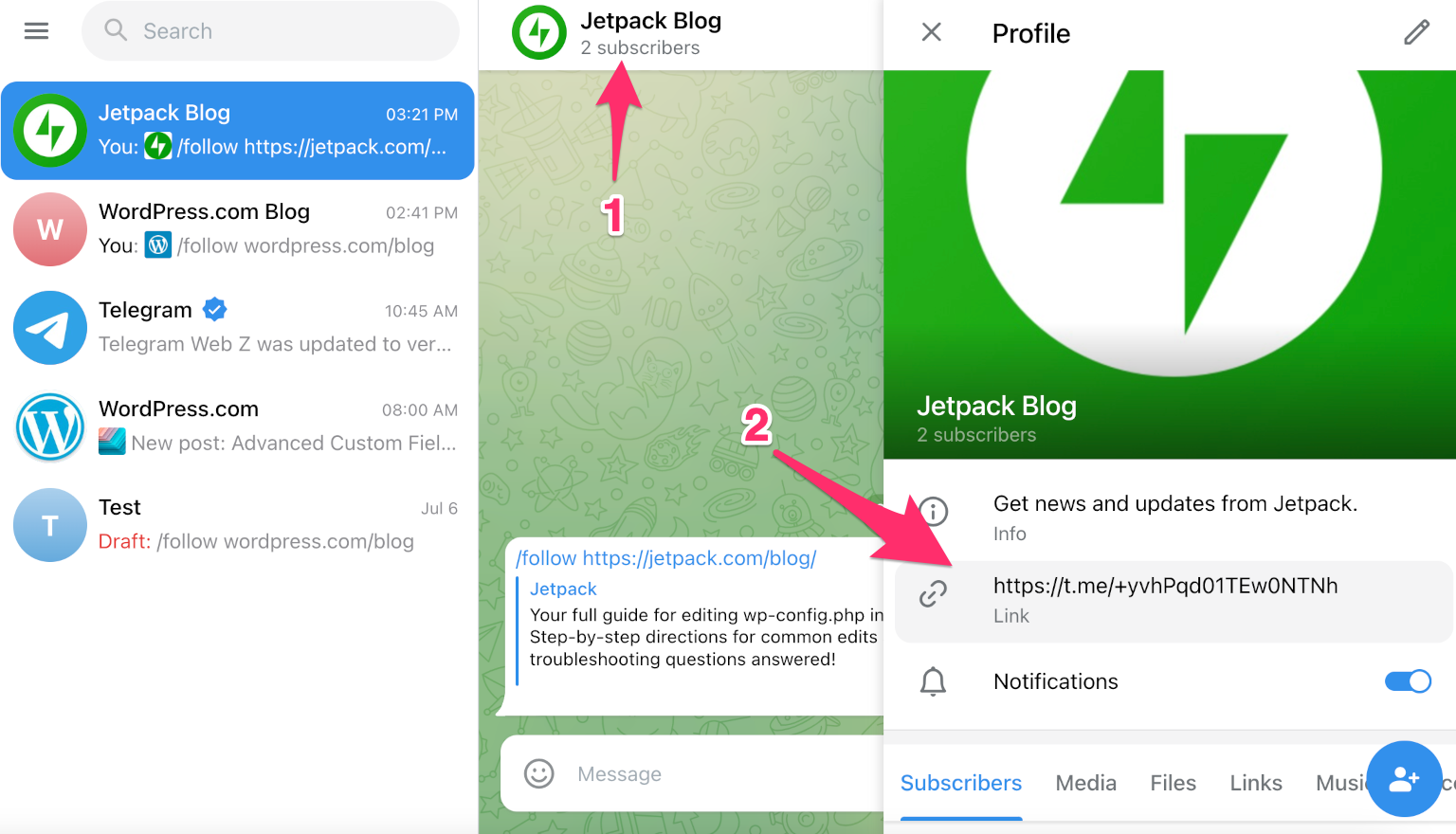
Visit your Telegram channel and click the channel name at the top. Find your channel URL and copy it:
Return to your WordPress website dashboard, open your Social Icon widget block, and paste the URL for your Telegram channel:
2. Add a Telegram Icon to a Page or Post Using the Social Icons Block
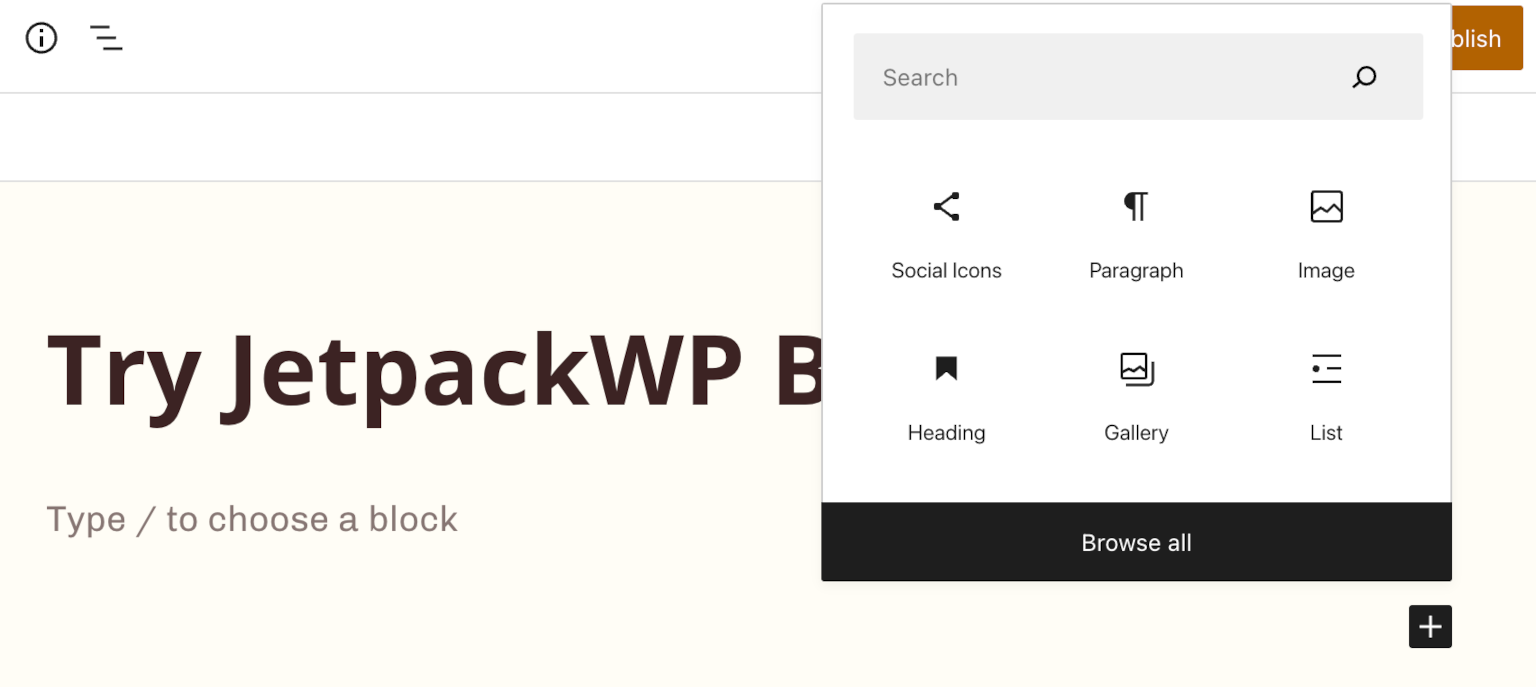
Alternatively, you can use the Social Icons block to place a subscription icon anywhere on your site. Follow the same steps from the previous section to snag the URL for your channel. Then from your dashboard, choose the page or post where you’d like to place your icon, and choose the Social Icons block:
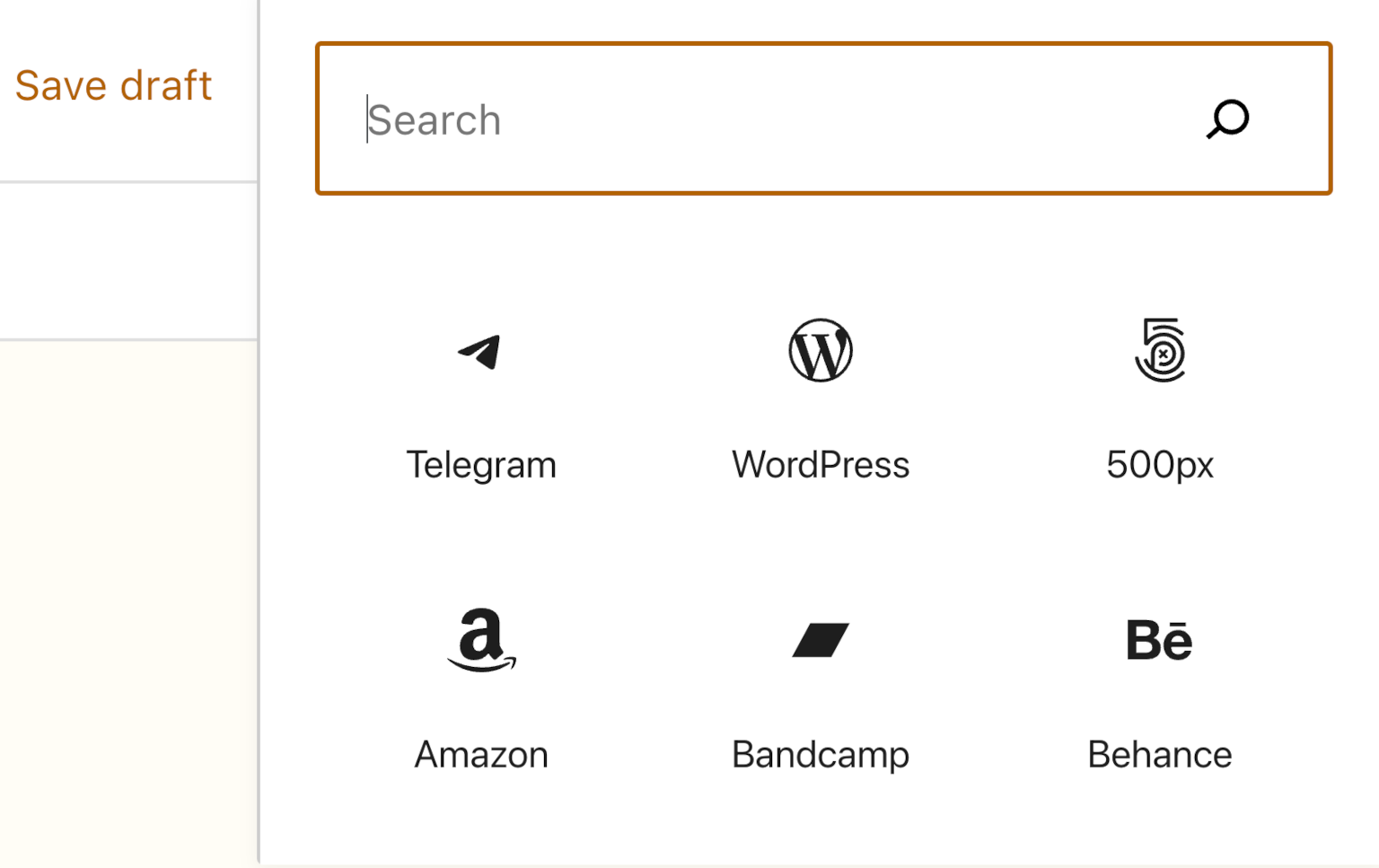
Use the search bar to find the Telegram icon and add your channel URL:
That’s two methods that will make it easy for your readers to subscribe to your Telegram channel. Share the news with your audience and watch your channel grow.
How Can Telegram Help Publishers Reach Your Audience?
Telegram is a fast-growing instant-messaging service with more than 700 million users worldwide, and is one of the top-five most downloaded apps in the world. That’s a massive potential audience that uses the app to stay in touch with friends and follow their interests.
Messaging apps are also less noisy than social media platforms and other content distribution channels. This means it’s easier for readers to focus on your content with fewer distractions.
Start Sharing Content With JetpackWordPressBot Now
With JetpackWP Bot, it’s easier than ever to take advantage of this popular service to engage your audience, build your community, and increase your traffic. Get started now.
Not only is it easier than ever to purchase this powerful plugin on WordPress.com, but you can choose a payment cadence that’s best for you — we offer both monthly and annual pricing (though you’ll save money over the long-term with the annual plan).
Yoast SEO is already the most popular SEO plugin for WordPress, with over 13 million active installs. While Yoast SEO is awesome, Premium is the real deal, for these reasons:
Yoast SEO Premium is a time-saver — In the free version, you still need to do much of the work yourself. Yoast SEO Premium comes with tools like the redirect manager and internal linking suggestions that can save you a lot of time.
Makes doing site maintenance easier — Have you ever forgotten to redirect a page you deleted? No more! Yoast SEO Premium automatically does this for you. And if you’re unsure about which page to update next, the stale content finder and SEO workouts help you work on the most important things first.
Helpful tools to build a great site structure — Links within your website are important for SEO. The Yoast SEO Premium plugin comes with several tools to help you improve, like the internal linking blocks, orphaned content finder, and internal linking suggestions.
Advanced language analysis that makes writing more natural — Premium’s innovative language analysis supports over 20 languages! It not only looks at the exact match of the focus keyphrase you enter, but also at all the grammatical forms, synonyms, and related keyphrases of that word.
Optimize your posts before sharing them on social media — Premium lets you preview how your post will look when shared on social media platforms like Twitter or Facebook.
24/7 access to Yoast’s world-class support team — Available in English and Spanish.
Free access to all Yoast SEO academy courses — Learn all about Yoast SEO, SEO copywriting, keyword research, structured data, and many other topics related to SEO.
How to Purchase Yoast SEO Premium Without Leaving Your Site
Purchasing this plugin right from your WordPress.com dashboard is simple.
On the plugins page, search for “Yoast”; click on the product card for Yoast SEO Premium, and you’ll be directed to this detailed product listing page. When you’re ready, click the “Purchase” button in the top right of the product listing page. Your purchase won’t be final until you confirm your payment method and details on the following page. The plugin will be installed automatically.
Currently, plugins are only available on certain WordPress.com plans. In the near future, we plan to expand the option to more plans. Read more about what the future holds.
Ever wished you could share new blog posts to a Telegram channel automatically?
If so, then great news! Starting today, you can follow any WordPress.com blog within Telegram by using WordPressDotCom Bot. Now, you can easily get real-time updates from your favorite bloggers in specific channels, group chats, or DMs, right in the app. All with just a few clicks.
Sharing WordPress.com Blog Posts Made Easy
Whether you want to follow your favorite blogs or share your own posts, the WordPress.com Bot has you covered.
Start a new channel and invite readers to follow you there. Or automate sharing with an existing channel and add value for your friends and followers. Here are some ideas for inspiration:
Keep up-to-date with writers you don’t want to miss.
Share the latest shots from your family photo blog with friends and loved ones.
Spark conversation about your hobbies and interests in a private channel.
Every day we’re connected to a million apps, and we browse through multiple browser tabs just to complete a single action item. We have busy schedules that would benefit from streamlined processes, simple tools, and powerful workflows. With that in mind, our team asked for feedback, and that inspired us to put together a new solution—your Professional Email inbox baked right into your WordPress.com site.
You can now manage your inbox and website from the same place, eliminating the need for multiple sets of credentials and URLs. Once you’re securely logged in, we’ll save you the clicks and multiple tabs that managing your work used to take, allowing you to operate directly from your website dashboard.
A few time-saving hacks to get the most from your embedded inbox:
Easily connect with your audience or community from your site while checking your site followers.
Post a blog post, head directly to your inbox, and share it with your customers.
Create a new product to sell and share the news directly from your site dashboard.
Every day we’re connected to a million apps, and we browse through multiple browser tabs just to complete a single action item. We have busy schedules that would benefit from streamlined processes, simple tools, and powerful workflows. With that in mind, our team asked for feedback, and that inspired us to put together a new solution—your Professional Email inbox baked right into your WordPress.com site.
You can now manage your inbox and website from the same place, eliminating the need for multiple sets of credentials and URLs. Once you’re securely logged in, we’ll save you the clicks and multiple tabs that managing your work used to take, allowing you to operate directly from your website dashboard.
A few time-saving hacks to get the most from your embedded inbox:
Easily connect with your audience or community from your site while checking your site followers.
Post a blog post, head directly to your inbox, and share it with your customers.
Create a new product to sell and share the news directly from your site dashboard.
Plugins are the building blocks and the rocket fuel for your WordPress.com website. They can help make your site faster and easier to manage but also bring essential elements to your fingertips. From email opt-ins and contact forms, to SEO, site speed optimization, calendars, and booking options — the list is nearly endless.
If you can imagine it, there’s a high likelihood that there’s a plugin to help you accomplish whatever your endeavor on your WP.com website.
And because of the vast community of WordPress developers, there are always new plugins being added to our marketplace. To better help you select the plugins for your business or passion, we are listing three of our hand-picked, most popular premium plugins below, in addition to several others, recently added to our marketplace.
WooCommerce Bookings
This invaluable plugin allows customers to book appointments, make reservations, or rent equipment. Both you and your customers can save valuable time since there’s no need for phone calls, emails, or other forms of communication to handle bookings. Prospects simply fill out the information themselves.
The benefits of WooCommerce Bookings are hard to overstate. For example, you can:
Define set options, like fixed time slots for a class, appointment, or guided tour
Let customers choose the times that work best by giving them the flexibility to book whatever range they need, like checking into a hotel
Set certain time periods as off limits and un-bookable, providing yourself a buffer between bookings
Perhaps best of all, the plugin integrates seamlessly with your Google calendar. Use the calendar view to see how your day or month is shaping up. Update existing bookings or availability, or filter to view specific services or resources. And if you have customers who insist on calling in to make bookings the old-fashioned way, you can add them manually from the calendar while you’re on the phone.
Whether you’re running a small bed and breakfast, a fishing guide service, or anything in between, WooCommerce Bookings can give you back valuable time, ensuring your customers have a friction-free booking process, which allows you to focus your energies elsewhere.
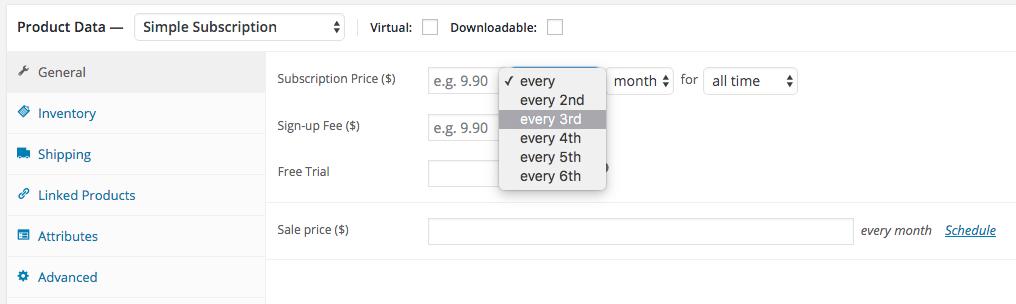
With WooCommerce Subscriptions, customers can subscribe to your products or services and then pay for them at the frequency of their choosing — weekly, monthly, or even annually. This level of freedom can be a boon to the bottom line, as it easily sets your business up to enjoy the fruits of recurring revenue.
Better yet, WooCommerce Subscriptions not only allows you to create and manage products with recurring payments, but you can also introduce a variety of subscriptions for physical or virtual products and services, too. For example, you can offer weekly service subscriptions, create product-of-the-month clubs, or even yearly software billing packages.
Additional features include:
Multiple billing schedules available to suit your store’s needs
Integrates with more than 25 payment gateways for automatic recurring payments
Accessible through any WooCommerce payment gateway, allowing for manual renewal payments along with automatic email invoices and receipts
Prevents lost revenue by supporting automatic rebilling on failed subscription payments
Additionally, this plugin offers built-in renewal notifications and automatic emails, which makes you and your customers aware of subscription payments being processed. Your customers can also manage their own subscriptions using the Subscriber’s View page. The page also allows subscribers to suspend or cancel a subscription, change the shipping address or payment method for future renewals, and upgrade or downgrade.
WooCommerce Subscriptions really do put your customers first, giving them the control they want and will appreciate while allowing you to automate a process and experience that saves time and strengthens your relationship with customers.
High on every business owner’s list of goals is the ability to grow the company and earn more revenue. Well, AutomateWoo makes that task much simpler. This powerful, feature-rich plugin delivers a plethora of automated workflows to help you grow your business.
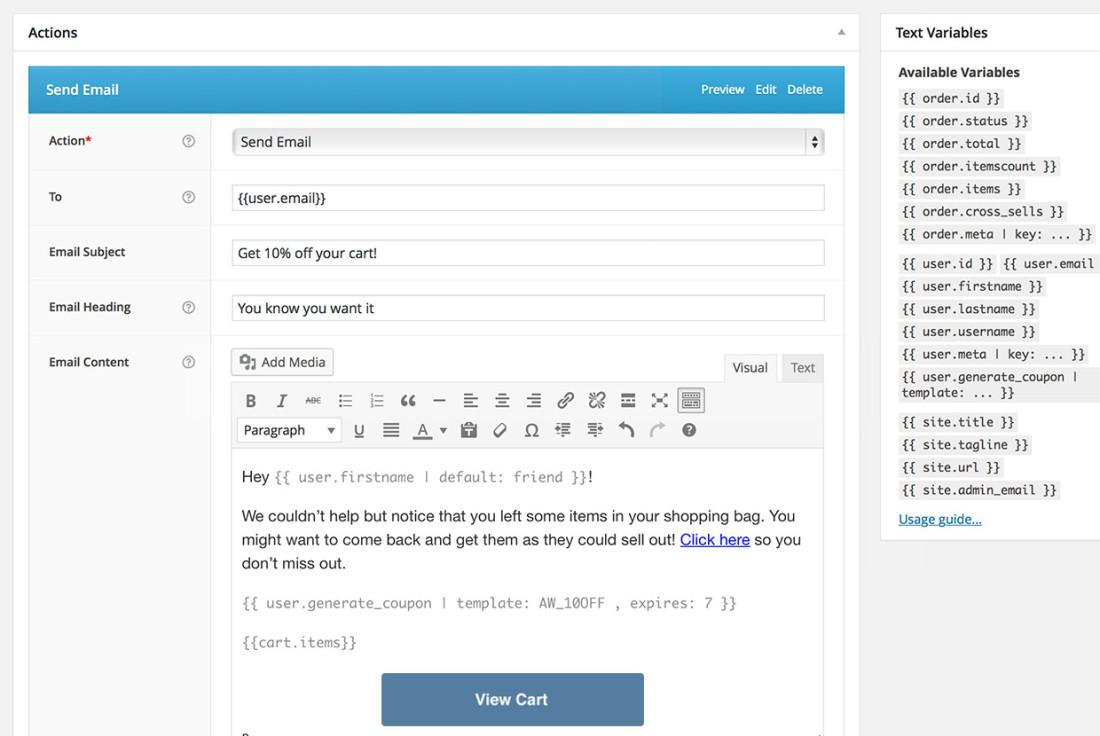
With AutomateWoo, you can create workflows using various triggers, rules, and actions, and then schedule them to run automatically.
For example, you can set up abandoned cart emails, which have been shown to increase the chance of recovering the sale by 63%.
One of the key features small business owners are sure to enjoy is the ability to design and send emails using a pre-installed template created for WooCommerce emails in the WordPress editor.
This easy-to-appreciate feature makes it a breeze to send targeted, multi-step campaigns that include incentives for customers. AutomateWoo gives you complete control over campaigns. For example, you can schedule different emails to be sent at intervals or after specific customer interactions; you can also offer incentives using the personalized coupon system.
Also, you can track all emails via a detailed log of every email sent and conversion recorded. Furthermore, with AutomateWoo’s intelligent tracking, you can capture guest emails during checkout.
This premium plugin comes packed with a host of other features as well, including, but not limited to:
Follow-up emails: Automatically email customers who buy specific products and ask for a review or suggest other products they might like
SMS notifications: Send text messages to customers or admins for any of AutomateWoo’s wide range of triggers
Wishlist marketing: Send timed wishlist reminder emails and notify when a wished-for product goes on sale; integrates with WooCommerce Wishlists or YITH Wishlists
Personalized coupons: Generate dynamic customized coupons for customers to raise purchase rates
AutomateWoo will make an indispensable asset for any business looking to create better synergies between their brand’s products or services and the overall experience customers have with them.
In addition to WooCommerce Bookings, WooCommerce Subscriptions, and AutomateWoo, our marketplace has also launched a number of additional premium plugins, including:
WooCommerce Points and Rewards: Allows you to reward your customers for purchases and other actions with points that can be redeemed for discounts
WooCommerce One Page Checkout: Gives you the ability to create special pages for customers to select products, checkout, and pay, all in one place
WooCommerce Deposits: Customers can place a deposit or use a payment plan for products.
Min/Max Quantities: Make it possible to define minimum/maximum thresholds and multiple/group amounts per product (including variations) to restrict the quantities of items that can be purchased.
Product Vendors: Enables multiple vendors to sell via your site, and in return take a commission on the sales.
USPS Shipping Method: Provides shipping rates from the USPS API, with the ability to accurately cover both domestic and international parcels.
Get the Most Out of Your Website
Keep an eye on the plugin marketplace, as we’re continuing to offer premium plugins that help you best serve your site visitors and customers. At WordPress.com, we’re committed to helping you achieve your goals.
To get the most out of your WordPress.com website, upgrade to WordPress Pro, which puts the power of these plugins at your fingertips. Currently, only WordPress Pro plans or legacy Business + eComm customers can purchase plugins.
Every site starts with an idea. WordPress Starter is a new, beautifully pared-back plan designed to put that idea center stage. For just $5/month.
Like the WordPress Pro plan (more on that below), WordPress Starter brings you the fastest WordPress managed hosting on the planet. Unlimited site traffic. And a revolutionary price.
Make Your Mark
From building your audience with a blog. To sharing your business, design, expertise, or experiences with the world. If you’re looking to make your work visible, and make it visual, the Starter plan has you covered.
Let’s take a look at the details.
Put Your Stamp on It – with a Custom Domain
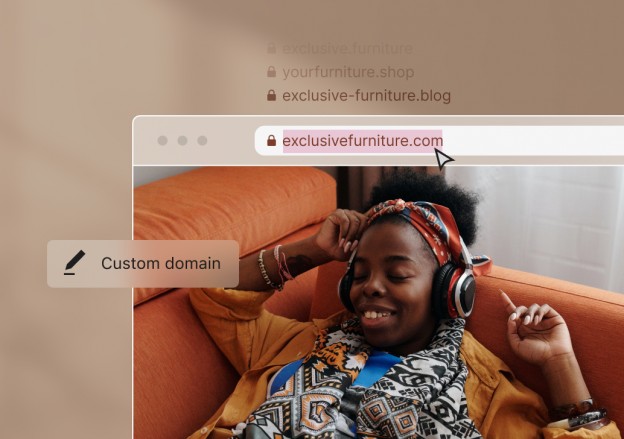
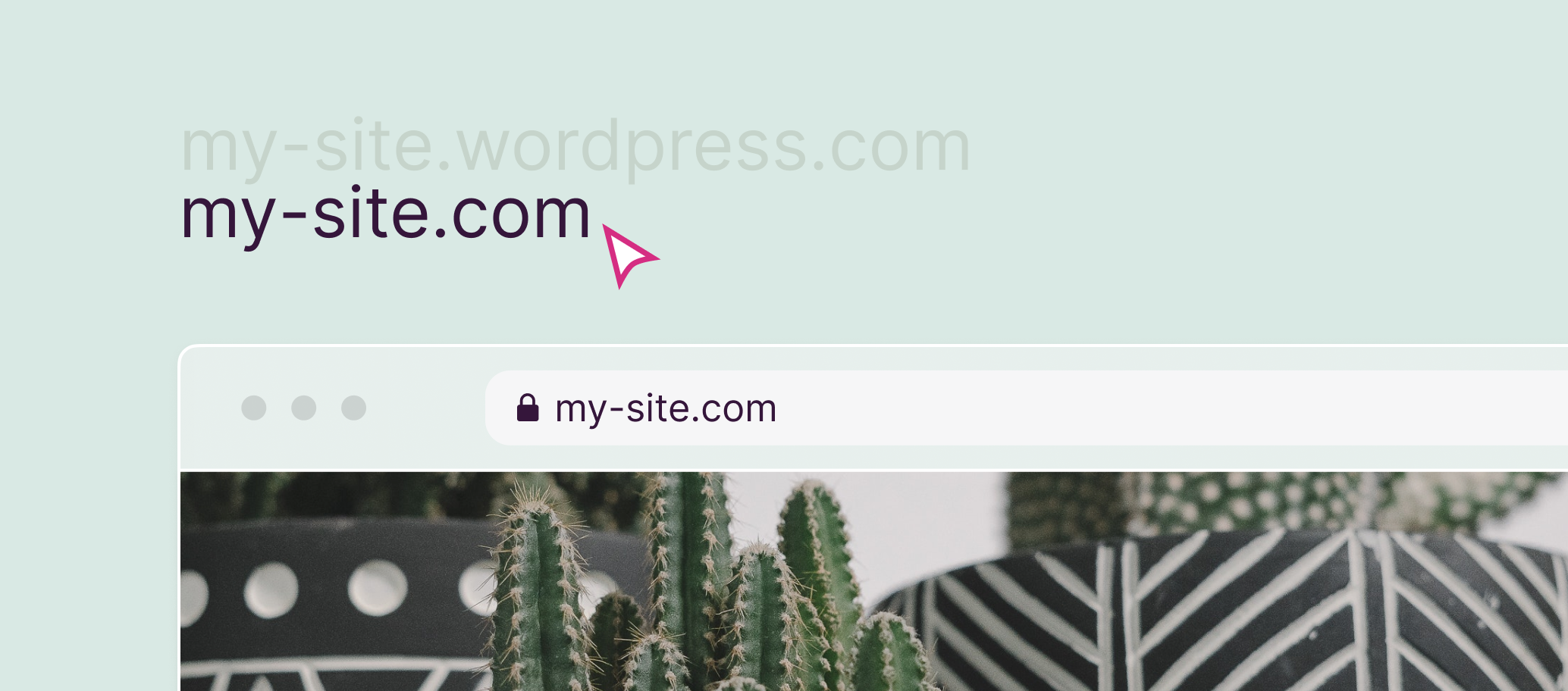
WordPress Starter unlocks custom domains – the ability to make your site’s address on the web your own.
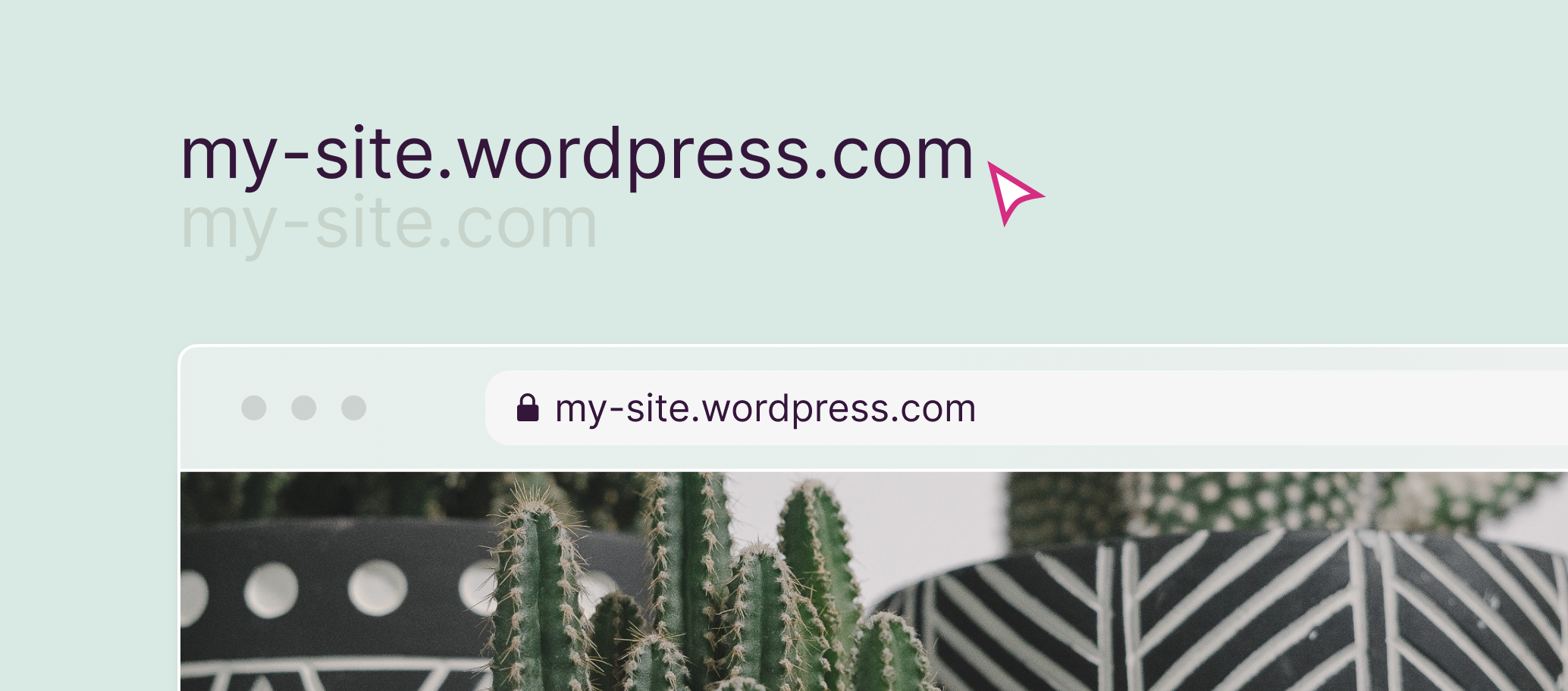
So instead of your web address looking like this:
My-site.wordpress.com
You can put your stamp on it, and make it look like this:
My-site.com
It’s the artist’s signature that separates a Picasso from a print.
If you want to own a piece of the web, a custom domain makes a powerful statement. And your first year of domain registration is on us.
Make It Visual. Make It Visible.
Photos and images can really set your site apart. Making it visual goes a long way to making it visible.
Starter gives you a big boost in storage – a roomy 6GB for all your photos and images. So you’ll never need to think twice about adding visual flavor to every post. And every page.
From Visible to Profitable – with Simple Payments
As your site and audience grows, WordPress Starter has everything you need to start taking payments from your site visitors.
Simple payments – included with Starter – bring you three ways to do exactly that:
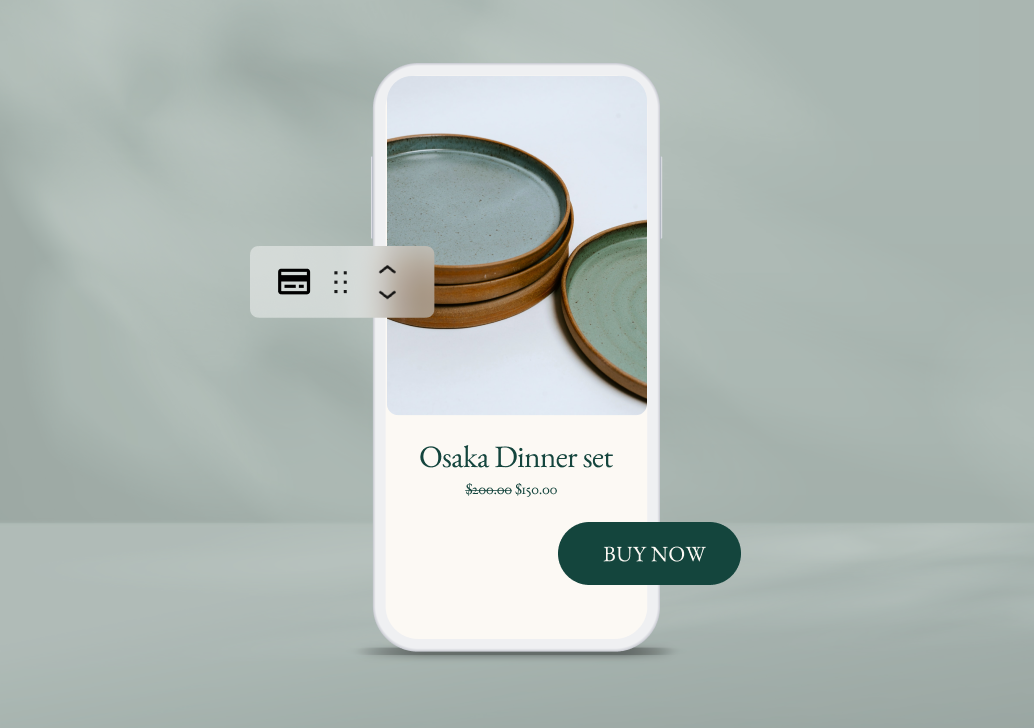
The Payment Button block gives you a fast way to take payments and set up subscriptions with Stripe
Track Your Success – with Google Analytics
Finally, Starter opens up an integration with Google Analytics. If you’re ready to dive a little deeper than the default WordPress.com stats, connecting your site to GA opens the door to a world of information.
Who’s visiting your site, who’s coming back for more, and which content is really resonating with them is the tip of the iceberg.
WordPress Starter vs. WordPress Pro
So what’s the difference between WordPress Starter and the recently announced WordPress Pro plan?
WordPress Starter
WordPress Starter unlocks custom domains and the space to make your site beautifully visual and visible. It does that with a big boost in storage for your images – from 1GB on the free plan to 6GB on Starter. It also includes simple payments to get you started selling content, donations, and subscriptions. And with its Google Analytics integration, you’ll always be able to dig deep on what’s resonating with your audience, so you can double down on your success.
And with Starter, you’ll never have to worry about site traffic. Because traffic is unlimited.
Starter is a solid place to land if you want a great looking, blazing fast blog or website with simple payments baked in, but don’t want or need to dig deeper into design customization, interactivity, or integrations.
Starter costs just $5/month.
WordPress Pro
WordPress Pro unlocks access to over 50,000 plugins and themes – an infinite, open library of ways to customize the features, interactivity, integration and design of your home on the web. Whatever your ambitions.
Pair that with:
Everything included with Starter
50GB of storage for images, audio, and videos
A full range of ecommerce and payment tools (with even lower processing fees of just 2.9% +30¢), including the full power of WooCommerce out of the box
Advanced SEO, design, and social media tools
Beautiful premium themes
Google Analytics integration
Automated one-click backups
SFTP and database access
A free custom domain for your first year
Unlimited user admins
The ability to earn ad revenue from your site
Premium expert support by email and live chat
And a lot more than we could comfortably fit into this paragraph.
Which gives you the raw power to build and grow any site, store, and audience you can think of. Whether you’re starting out, or you’re a seasoned WordPress publisher.
Pro is $15/month, billed annually.
Spoiler: There’s Another Reason We Called It Starter
We called the new plan WordPress Starter because it gives you an affordable way to get a beautiful site started and shipped. But that’s not the only reason.
Coming soon, we’ll be introducing a range of add-ons that pair with Starter to give you an extra boost. It’s an a la carte way to add just what you need to Starter. And nothing you don’t.
Stay tuned for more updates on that. In the meantime, we’d love to hear what’s important to you in the comments.