In jazz, each instrument and rhythm needs to be in sync — but that doesn’t happen without a lot of practice and experimentation behind the scenes. Even the most talented improvisers wouldn’t roll out a brand new number without having rehearsed it beforehand.
Sound familiar?
Your website isn’t all that different from a jazz band — various elements (content, images, plugins, and forms) that all have to work together to create a cohesive experience. But when you’re always making edits to a live, working site, you risk the site-design version of flubbing a solo or even dropping your drumsticks: a mistake that might create a poor user experience, or even break the site altogether.
That’s where staging sites, our newest hosting feature, comes in handy.
Staging sites are here!
We’re excited to announce that staging sites are now available for all customers on our Business and Commerce plans. This powerful feature allows you to test changes and updates of all your site elements in a safe and stable environment.
Staging Site: A test version of your website you can use to preview and troubleshoot changes before applying them to your production site.
Though generally geared towards developers, staging sites aren’t just for the tech-savvy. Bloggers, shop owners, podcasters — anyone with a website can benefit from iterating on design, experimenting with new plugins, and even trying out custom code before publicly unveiling the updates.
The benefits of using staging sites
Here are just a few of the benefits of using WordPress.com staging sites:
Risk-free testing: Experiment without worry. By simulating changes on a staging site first, you can identify and fix any issues that could affect your website’s performance or speed.
Faster development: Staging sites make it easier to develop and launch new features, plugins, and designs in even less time.
Increased collaboration: A staging site allows multiple stakeholders to review and agree on changes in a safe place before going live.
How to get started with staging sites on WordPress.com
Want to give it a shot? You can have your own staging site up and running in three simple steps:
Congrats! You now have a working staging environment to play around with site design, plugins, code, etc.
If you’ve already created a staging site, you’ll see this instead:
After your staging site is created, you can access and manage it from the module seen above on the Hosting Configuration page, or you can find it on the Sites page.
What other features would you like to see? How can we make WordPress.com an even more powerful place to build a website? Feel free to leave a comment or contact our friendly support.
In early April, we experienced an unexpected suspension of our Twitter API access. This access is what powers Jetpack Social, which in turn helps you automatically share your blog posts to Twitter. Though the service was restored that same day, it turns out that there were bigger changes looming on the horizon.
Twitter recently notified Automattic that it was dramatically changing the terms and pricing of the Twitter API. The cost increase is prohibitive for us to absorb without passing a significant price increase along to you, and we don’t see that as an option. We have attempted to negotiate a path forward, but haven’t been able to reach an agreement in time for Twitter’s May 1 cutoff.
Given that, we have decided to discontinue using the Twitter API.
For WordPress.com and Jetpack users, Twitter will no longer be part of Jetpack Social. However, we’re adding Instagram and Mastodon very soon. In the meantime, auto-sharing to Tumblr, Facebook, and LinkedIn still works as expected, and you can continue sharing your blog post links on Twitter manually through their app or desktop site.
We apologize for any inconvenience this causes for your website and marketing efforts. We wish the outcome had been different, but our customers are always our primary concern, and we’re not willing to compromise the experience or value you receive from WordPress.com and Jetpack.
If your recent experiences with Twitter have left you dissatisfied, go take Tumblr for a spin — we hear it’s quite a party over there.
At WordPress.com, we’re always pushing our platform to do even more so that you can create, design, and publish amazing things with ease.
The last few weeks have found us as busy as the springtime bees improving the writing and publishing process even more, bringing our ad platform to mobile, and ensuring that previous edits to your work are readily accessible.
Let’s jump in and take a look.
Write without distractions
One of writing’s biggest challenges has nothing to do with the words — it’s filtering out the noise (both literal and figurative) so you can focus. We can’t change your physical environment, but we’re doing what we can to help you get into “the zone” a little more easily. Enter distraction free mode, a minimalist WordPress experience that removes the buttons and menus.
From the top toolbar, click the three-dot menu on the right-hand side. Select “Distraction free” and you’ll notice the top toolbar disappear. (To bring it back, simply hover over the top of the page and it’ll pop back down.) Your pages and posts will be distraction-free until you deselect this mode.
When to use this feature: You can’t resist experimenting with various settings or styles, but you also really need to get that new post finished. (Believe us, we’ve been there.) With this cleaner interface, you can focus on your words and your words alone.
Promote your content from your phone
Blaze, our self-serve ad platform, makes it easier than ever to spread the word about whatever it is you’re writing, creating, or selling. Now, you can Blaze on the go with the Jetpack app.
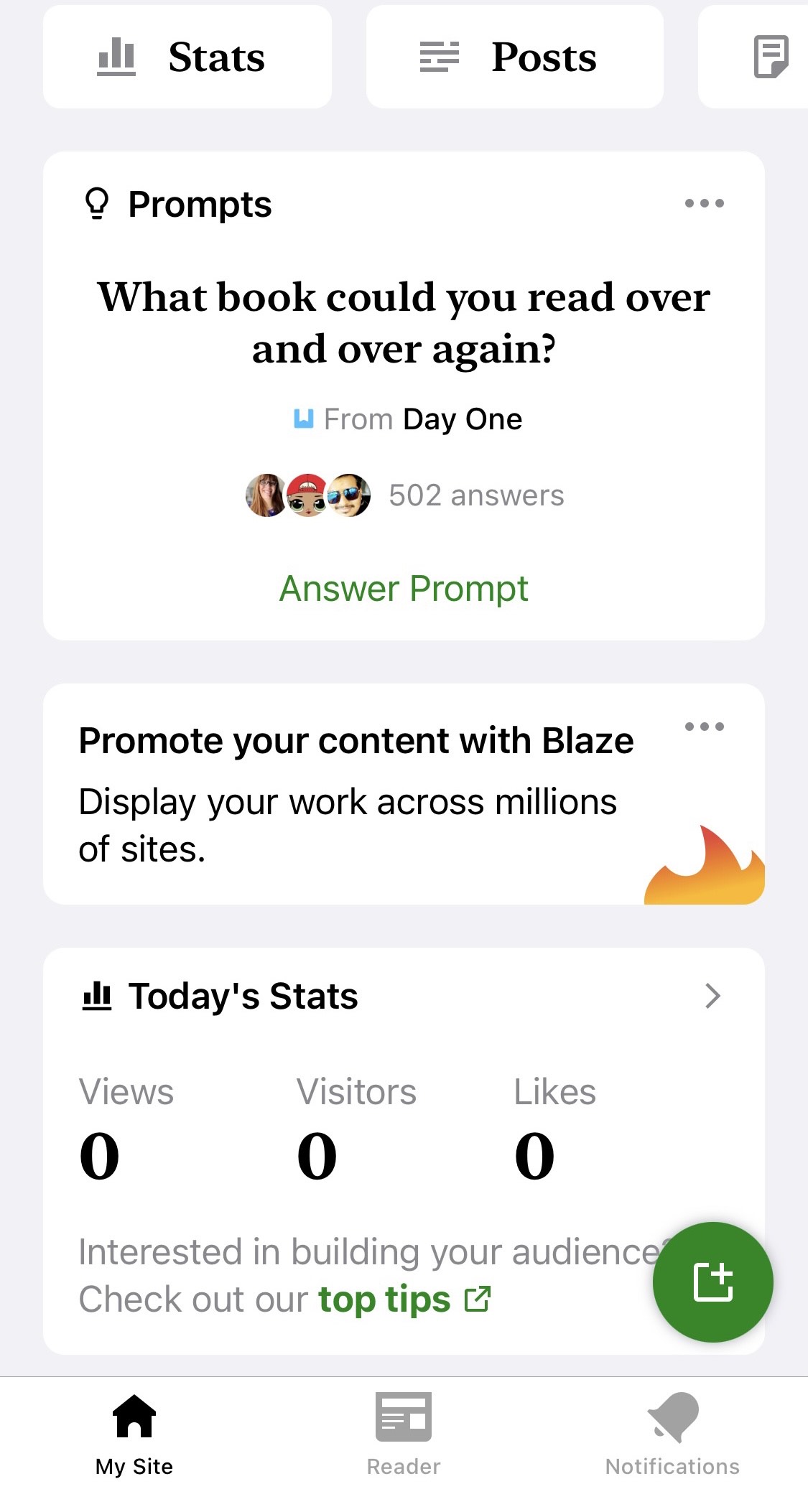
From the main dashboard, simply click on the banner that says “Promote your content with Blaze.” You can also promote your work directly from the Posts or Pages menus by clicking “More” or the three-dot menu and selecting “Promote with Blaze.”
When to use this feature: You’re waiting for take-out at your favorite Indian restaurant. While scrolling the Jetpack app, you notice traffic spiking on one of your recent blog posts — something about it is resonating with readers. Maximize its impact by boosting it to an even wider audience with Blaze.
Easily find and add free images
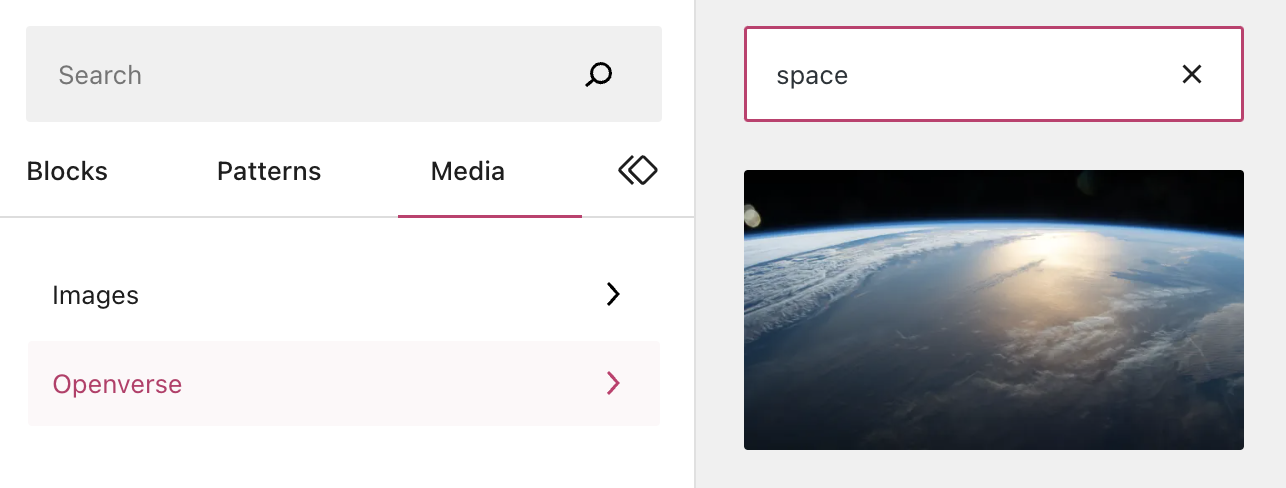
Need a featured image for your post? You can now find and add free-to-use images even faster. Open the Inserter (the red “+” button at the top left of any post or page), navigate to the tab labeled “Media,” click “Openverse,” and find the perfect option from our favorite open-source library.
You can also still access Openverse from the Image Block or Media Library.
When to use this feature: You’re on the hunt for just the right image to use in your new blog post. Rather than doing a Google search in a separate tab — and running the risk of using an image you don’t have rights to — use the Inserter to search and place exactly what you need.
Give readers a timetable
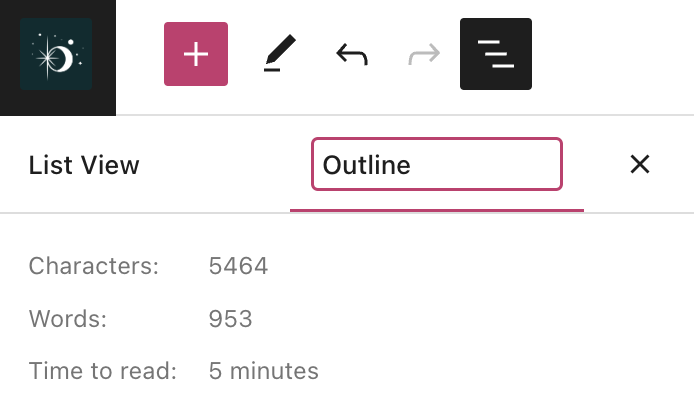
Here’s a fun built-in feature that a lot of folks don’t know about: The WordPress.com editor’s “Outline” function displays a post’s various headings for easy scanning, as well as a word/character count and a “time to read” estimate of how long it would take an average reader to get through the content on that page:
You can even display that estimate to your site visitors with the new Time To Read Block. (Styling and other customization options are on the way.)
When to use this feature: You do a lot of longform writing on your site, regularly publishing posts that go over 1,000 words. With this new block, let readers decide whether to start your post now, or wait until they have time to read it in one sitting. It’s a small touch, but a surprisingly thoughtful one.
Access previous edits to your templates
Access to previous versions and revisions of posts/pages has long been a staple of the WordPress experience. We’ve now added that same functionality to templates and template parts in the Editor.
This can be useful for restoring a previous version of a template that you’ve made changes to, or simply for reviewing the changes you’ve made over time.
When to use this feature: You experimented with some stylistic changes to your homepage template, but after a couple weeks of trying it out, the new look just isn’t hitting quite right. Head over to revisions to easily restore the previous version of the template.
Looking to take your WordPress website to the next level? You’re in luck! Our WordPress.com webinars are designed to help you create and customize your site with ease, and they’re incredibly popular among site owners. Plus, they’re completely free to attend!
Check out these upcoming webinars, which are conducted live by our knowledgeable Happiness Engineers:
Compelling Homepages: Create a Custom Layout with the WordPress Block Editor
Your site’s homepage is its highest-traffic page, so making it count is crucial to the success of your site. Join us to learn how to create a professional-looking and engaging homepage using the WordPress block editor. Our experts will teach you how to build an effective visual hierarchy and design attention-grabbing calls to action.
Tues Apr 18 at 9:00pm CEST | 3:00pm EDT | 12:00pm PDT
Wed Apr 19 at 7:00pm AEST | 2:30pm IST | 11:00am CEST
Thurs Apr 20 at 9:30pm IST | 6:00pm CEST | 12:00pm EDT | 9:00am PDT
Your site header is an essential element of your brand identity. In this webinar, we’ll explore the importance of your site header and show you how to create a unique, brand-aligned header using the WordPress.com Site Editor. You’ll learn how to select, customize, and replace header templates, add and edit your site title, logo, and navigation menus, and troubleshoot common issues.
Tues Apr 25 at 9:00pm CEST | 3:00pm EDT | 12:00pm PDT
Wed Apr 26 at 7:00pm AEST | 2:30pm IST | 11:00am CEST
Thurs Apr 27 at 9:30pm IST | 6:00pm CEST | 12:00pm EDT | 9:00am PDT
Don’t miss these opportunities to level up your WordPress skills and create a website that reflects your vision. Our WordPress.com webinars are incredibly popular, and for good reason. Register now for these free webinars, and bring your questions for our live Q&A sessions.
We can’t wait to help you bring your website to life!
LUBUS, a development agency specializing in WordPress and Laravel, faced challenges with variable hosting costs and maintenance for their clients. They needed a solution that offered fixed costs, high performance, secure web hosting, and reliable service and support. LUBUS decided to test WordPress.com and, after witnessing positive results, confidently recommended it to their clients.
The migration to WordPress.com led to faster site load times, improved stability during traffic surges, and significant cost savings of 50-90% for clients. This allowed LUBUS to concentrate on its core services and offer a more straightforward solution to its clients without the need for DevOps budgets or ongoing maintenance costs. WordPress.com provided an all-in-one solution, ensuring a stable, secure, and cost-efficient experience for LUBUS’s clients.
Introduction
We recently spoke with Ajit Bohra, the Founder and WordPress Engineer of LUBUS, a development agency specializing in WordPress and Laravel. LUBUS, established in 2008, creates high-quality websites for clients in India and across the globe. They have experience building a wide variety of websites, including healthcare, renewables, publishers, telecommunications, music news, online stores, and more.
Their commitment to delivering “friendly solutions” in WordPress website development led them to seek a solution that provides their clients with:
A website with fixed costs and no hard limits
A high-performance, secure web hosting platform
A host managed and maintained by WordPress experts
Reliable service and support
LUBUS chose to test WordPress.com and, after witnessing positive results, confidently recommended it to many of their clients.
The LUBUS Story
LUBUS has a team of 12 WordPress designers and developers, serving 8 to 10 new clients annually. About 60% of their clients retain LUBUS’s maintenance and consulting services after the initial site development and launch.
Previously, they hosted clients on AWS (Amazon Web Services) and similar cloud hosting services. While these solutions were suitable for clients who required more complex control, they presented difficulties for many others.
The Challenges and Needs of Various WordPress Website Clients
LUBUS aimed to provide the best service to their clients while keeping their workload focused on core offerings.
Stable Costs and Hosting
For many clients, particularly those in emerging markets or with smaller budgets, the variable billing costs of providers like AWS were often disruptive. These clients needed to budget for exact costs without unexpected charges at the end of a pricing period. Some clients experienced large traffic spikes that either caused their websites to crash or resulted in increased costs to cover additional resources. Neither scenario supports effective growth and scaling.
Ajit Bohra, the LUBUS founder, shared an example where they migrated a heavy metal client’s website to WordPress.com. When the band Metallica shared one of the client’s articles, the site effortlessly handled the traffic surge without incurring additional costs or experiencing any performance issues.
Maintenance and Worry-Free Hosting
In the absence of managed hosting, clients either had to maintain the environment themselves or pay LUBUS for maintenance. This extra time and cost were prohibitive to clients and diverted LUBUS from its primary focus.
“We needed to move away from DevOps and concentrate on our core services. We searched for a straightforward solution that clients could manage themselves without DevOps budgets or ongoing maintenance costs. We aimed to provide clients with a reliable hosting service we could endorse without hesitation, ultimately resulting in satisfied clients. We found that service with WordPress.com,” explained Ajit Bohra, LUBUS founder.
Why LUBUS Chose to Migrate Clients to WordPress.com
Ajit and his team members often attended WordCamps, where they conversed with WordPress.com representatives. Eventually, Ajit felt confident enough to trial WordPress.com with a budget client who wanted to manage their site independently in the future. Factors that contributed to his decision to test WordPress.com included:
Eliminating security concerns for both LUBUS and the client
Removing worries about performance or speed
The platform’s development by the same team behind the open-source WordPress application
Clients feeling confident enough to manage their own site, knowing they’re protected by Jetpack backups, activity logs, and backed up by excellent WordPress.com support
Giving clients an option for a lower and more reliable cost model.
The Migration Process
LUBUS found the migration process smooth and cost-effective, significantly reducing DevOps and maintenance expenses.
As LUBUS migrated more clients to WordPress.com, they continued to experience smooth, error-free migrations. Even in challenging situations, the WordPress.com Happiness Engineers (support team) resolved issues efficiently, providing a positive experience for LUBUS.
The Results: Speed, Stability, and Cost Savings
We were eager to learn LUBUS’s thoughts on their experience with migrating clients’ sites to WordPress.com. Here’s what we discovered.
Faster Sites
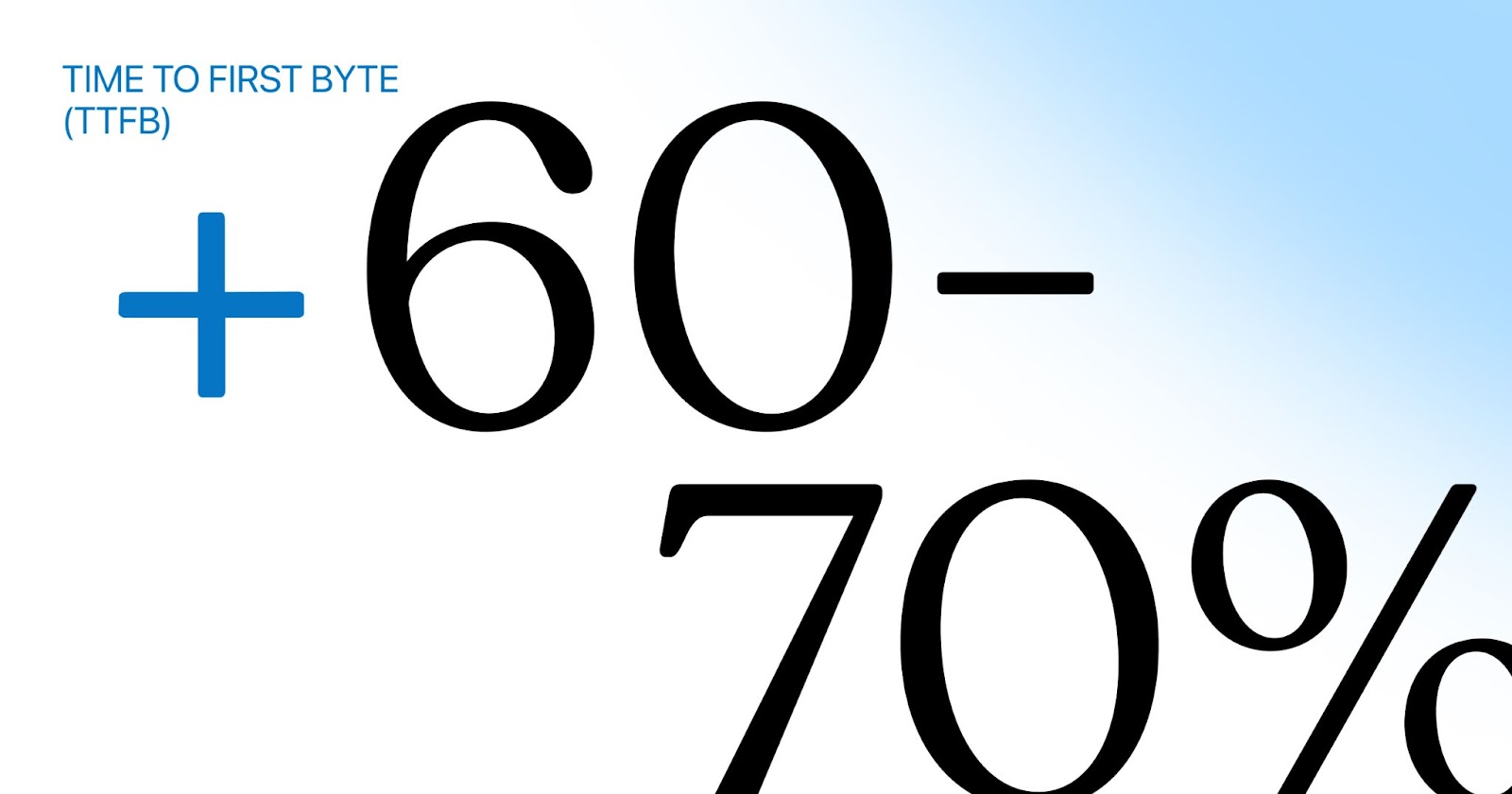
Although LUBUS focuses on well-developed sites optimized for fast load times, developers cannot control the server’s TTFB (Time to First Byte). TTFB measures the time it takes for the first byte of the page to load in the client’s browser, reflecting the server’s responsiveness. On average, LUBUS observed a 60-70% improvement in TTFB speed after migrating sites to WordPress.com. This improvement can mean the difference between users staying on the site or leaving due to frustration with load times.
Stability
Some hosting providers hinder a client’s website success and growth. When a site experiences a traffic surge due to a successful marketing or social campaign, some hosts either fail to allocate the necessary resources to keep the site running or charge substantial fees for the extra resources. In both cases, the client’s potential gains from the traffic surge are negatively impacted.
LUBUS clients appreciate that WordPress.com aims to help them succeed rather than penalize them for their success. With high-performance CPUs and automated burst scaling, clients can trust that their sites will withstand traffic surges without incurring additional costs.
Cost Savings
LUBUS founder Ajit Bohra stated, “Many of our clients saved a considerable amount of money, ranging from 50% to over 90%, on hosting charges after moving to WordPress.com. This significant savings offers a tremendous boost for clients, especially in countries like India, or those with basic sites, blogs, webzines, mid-level traffic eCommerce sites, and startups.”
The End Result
“There are many reasons we recommend WordPress.com to clients.
—Clients want us, and their hosting provider, to simplify their lives. —We don’t want clients to be intimidated by WordPress, and WordPress.com makes it much easier for them to adapt. —Clients are skeptical about relying on plugins for tasks that should be managed by hosting, which WordPress.com does. —Clients want everything in one place, such as support, domain, content, marketing tools, and hosting. —Clients want to know their site will be stable, secure, and cost-efficient.
WordPress.com makes it simple to meet our clients’ needs.”
—Ajit Bohra, LUBUS founder
WordPress.com + Your Agency = Satisfied Clients
WordPress web design and development agencies are discovering the power of WordPress.com hosting and the benefits it offers to their clients. With full-stack performance, robust security, and developer-friendly features, WordPress.com provides agencies with a platform they can confidently recommend to their clients. Discover what we can do for your agency.
Looking for a development agency focused on providing friendly solutions to big or small ideas? See how Lubus can help you.
The earlier reported outage has been resolved. Twitter is working again for Jetpack Social and all other functionalities that depend on Twitter. All Jetpack Social connections to Twitter, Tumblr, Facebook, and LinkedIn can be used as usual.
We are working with Twitter directly to ensure this service keeps running without interruption.
Update: We have regained access to the Twitter API, and Jetpack Social should be fully functional on all sites again!Please read our latest post here and reach out to support if you continue to have issues.
On April 3, Twitter suspended WordPress.com’s access to the Twitter API without warning. As a result, Jetpack Social — the built-in tool that we use to auto-share your posts to social media — is currently broken for Twitter. This means that auto-posting to Twitter via WordPress.com is not actively working.
Thankfully, this issue is isolated to Twitter, which means that Jetpack Social connections to other platforms are unaffected. Rest assured that you can continue sharing to Tumblr, Facebook, and LinkedIn without interruption.
You’re most likely to encounter this when publishing a new post. You’ll see this alert in the pre-publish sidebar:
Reconnecting won’t work at this time, nor will trying to establish a new connection.
We want you to know that we’re on top of this and working hard to find a solution. We’ll keep this post updated as we get more information.
In the meantime, if you haven’t checked out Tumblr recently, now is a great time to do so! While some social media companies have made recent decisions that adversely affect users’ experience, we’re constantly adding great new features and amping up what’s possible on Tumblr.
We know that social sharing is vitally important for spreading the word about your work, and we’re sorry for any inconvenience this causes. Thank you for your patience as we work to get everything back up and running.
Are you taking your first steps in selling a product or service online and don’t know where to start? Be sure to register for our upcoming WooCommerce 101 webinar, where our expert Happiness Engineers will walk you through everything you need to know about setting up an online store with WooCommerce and WordPress.com managed hosting.
Webinar details
Date: Tuesday, March 28, 2023
Time: 16:00 UTC | 18:00 CEST | 12pm EDT | 9:00am PDT
Cost: Free
Who’s invited: business owners, entrepreneurs, freelancers, service providers, store owners, and anyone else who wants to sell a product or service online.
Whether you’re an e-commerce veteran or this is your first business, join us for the inside scoop on launching a store that’s fully customizable, completely yours, and ready to grow from the start. In this live webinar, our Happiness Engineer will demonstrate how to:
Instal Woo on your existing WordPress site
Use the setup wizard to get up and running fast
Set up simple products, basic shipping, and tax support
Collect payments through WooCommerce Payments and other gateways
No previous e-commerce experience is necessary, but we recommend a basic familiarity with WordPress.com to ensure you can make the most from the webinar. A Q&A session will follow the walkthrough, so be sure to bring any questions you might have! Seats are limited, so register now to reserve your spot. See you then!
Has your desktop been looking a bit drab lately? If so – or if you’d just like to show a little WordPress love – we’ve got just the remedy: 30 one-of-a-kind WordPress desktop wallpapers to breathe new life into your backgrounds.
The wallpapers
Download and install
To add a wallpaper to your desktop:
Click on any image to open a fullscreen carousel
Right-click the image if you’re using Windows or Linux, or command-click on a Mac
The wallpapers are a homage to some of our favorite artists, with a nod to the freedom, innovation, and creativity of open-source software.
We put these together with an entirely open-source AI tool called Stable Diffusion. Like WordPress, Stable Diffusion is all about helping more people to create, experiment, and share, while having the freedom to access and contribute to the code making it all happen.
Over to you
We’d love to hear what you think, and if you have any favorites. Of course, please feel free to remix, use these on your blog, or share your work in the comments!
One of the biggest benefits of our Business and Commerce plans is that you can add additional WordPress plugins to enhance the functionality of your website.
Below, we’re highlighting two of the newest additions to our plugin marketplace, now available at a hefty exclusive discount for WordPress.com users.
Create courses with Sensei Pro
Automattic, the same company behind WordPress.com, creates Sensei LMS. We’ve collaborated to bring our Learning Management System and course creation tools to WordPress.com sites in one seamless experience.
With Sensei Pro, you can create online courses with quizzes, certificates, cohorts, and detailed student reports. Lessons are edited just like WordPress posts or pages, so you will already know how it works.
You can enable the distraction-free Learning Mode to provide students with an optimized mobile-friendly learning environment that keeps your course content front and center.
Selling courses can be a lucrative way to generate revenue for your blog or business. Sensei LMS integrates deeply with our WooCommerce suite of tools to make selling access to a course a breeze.
You can also take advantage of WooCommerce extensions to handle coupons, memberships, subscriptions, and more.
Videos are often a big part of online courses. WordPress.com sites also come with our VideoPress service, which lets you upload videos directly to your site without dealing with a third-party tool or embed codes. Especially important for video courses, you can mark a video as “private” to ensure it won’t be downloaded or linked to, and will only be available to course students.
Even better, with Sensei’s Interactive Videos block, you can create pause points with additional content to any video. For example:
Add a quiz question in the middle of a course video.
Add a contact form to the end of a sales video.
Show links to additional resources to a blog post video.
Add Interactive Videos to any WordPress page or post. They are not limited to courses or lessons.
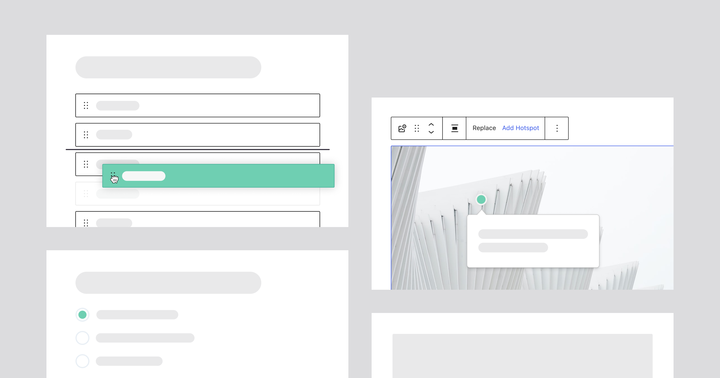
In addition to the Interactive Videos, Sensei also comes with interactive and educational content blocks, including:
Quiz questions
Accordions
Image hotspots
Flashcards
Task lists
Using these blocks, you can craft compelling content that captivates and keeps your readers engaged. Whether writing an educational blog post or creating a sales landing page, you can add these blocks to any WordPress page or post.
For existing sites on WordPress.com, you’ll find Sensei’s plugins in the plugin marketplace. WordPress.com users receive a 30% discount on Sensei Pro automatically.
Sensei Pro — all course creation tools and interactive blocks included. Get Sensei Pro here.
Sensei Interactive Blocks — interactive videos, accordions, image hotspots, flashcards, and task lists. Creating courses is not needed to be able to use these blocks. Get Sensei Interactive Blocks here.